Privacy Mode and Two-Factor Authentication
Hide your amounts with one click and protect your login with a passkey or an authenticator app.
Two new features make DivvyDiary more private and more secure: privacy mode hides your amounts, and two-factor authentication protects your login.
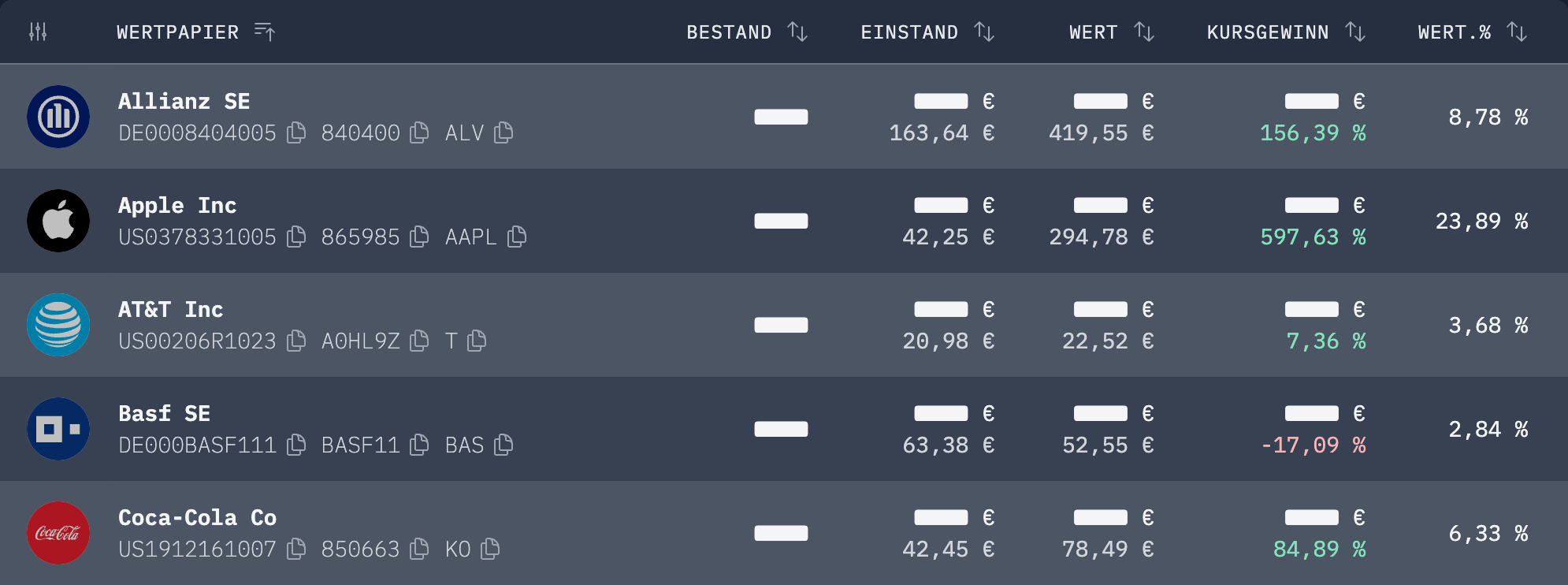
🙈 Privacy mode: One click on the eye icon at the top right, next to the bell, hides all absolute values such as your portfolio value, your dividends and your share counts, in every chart too. Percentages, prices and dividends per share stay visible. That way you can show your portfolio without revealing how much is in it. Perfect for screen sharing, screenshots for the community or a quick look on the train.

🔐 Two-factor authentication: In your settings you can protect your portfolio with a second factor. After your password, you then confirm your login with a passkey (Face ID, fingerprint or security key) or a code from your authenticator app such as Google Authenticator, 1Password or Apple Passwords. A stolen password alone is no longer enough.
🔑 Just in case: During setup you get recovery codes in case you ever lose your phone. Keep them somewhere safe, ideally in your password manager. Whenever a factor is added or removed, we send you an email.
Both features are available to everyone, whether you are a Scrimper or an Aristocrat. We are looking forward to your feedback!
We wish you further good dividend yields
Max & Johannes